Why Your Domain Transfer Gets Rejected Without Explanation
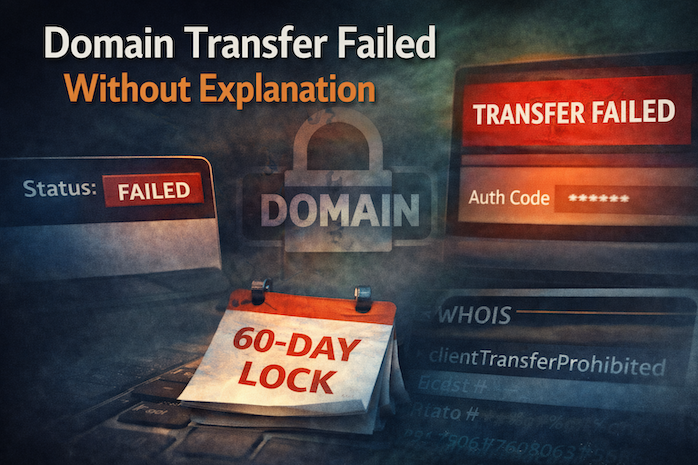
You initiate a domain transfer to another registrar.
You enter the Auth Code, confirm the email… and then:
❌ Transfer rejected
❌ No clear reason
❌ Status: “Failed”
No detailed error. No actionable feedback. Just failure.
This is one of the most frustrating—and poorly documented—issues in domain management.
The Hidden Complexity Behind Transfers
A domain transfer isn’t a simple request. It involves coordination between:
- The gaining registrar
- The losing registrar
- The registry (TLD operator)
If any layer rejects the request, the transfer fails—often without exposing the real cause to the end user.
Common Silent Rejection Causes
1. 60-Day Lock After Registration or Transfer
ICANN rules enforce a mandatory 60-day lock after:
- New registrations
- Previous transfers
- Certain WHOIS changes
Even if everything else is correct, the transfer will fail silently.
2. WHOIS Contact Change Lock
Many users don’t realize that:
- Updating email, name, or organization
- Can trigger a new 60-day transfer restriction
Some registrars allow opt-out—but most enable it by default.
3. Incorrect or Outdated Auth Code
- Auth codes may expire
- Some registrars regenerate them automatically
- Others invalidate them after DNS or contact changes
Result: transfer rejected without clear indication.
4. Domain Status Flags
If your domain has any of these:
clientTransferProhibited
serverTransferProhibited
→ Transfer is blocked.
The problem: many panels show “locked/unlocked” ambiguously, without exposing full status flags.
5. Pending Operations
Transfers can fail if the domain is:
- In renewal process
- Under redemption
- In pending delete
- Being updated internally
These states are rarely visible unless you check WHOIS or registry-level data.
How to Diagnose Properly
- Check full WHOIS (not just registrar UI)
- Verify:
- Creation date
- Last update date
- Status flags
- Use WHOIS Lookup Tool to see raw status
How to Fix It
- Wait 60 days if recently registered/transferred/updated
- Disable transfer lock explicitly
- Request a fresh Auth Code
- Confirm email approval links (often overlooked)
- Retry with another registrar (to rule out UI issues)
Pro Tip
Some registrars intentionally make transfers harder (slow approvals, hidden locks) to reduce churn. If a transfer repeatedly fails without explanation, the issue may not be technical—but strategic.